Purchase & Payments
Presenter marks our first app with dual distribution. You can purchase directly from iA or in Apple’s App Stores. This allow us to offer our app to the widest audience, on the most favorable terms.
Direct Purchase
The purchase flow is different from App Store, but we’ve made it just as simple. Here’s what you can expect:
Purchase Options

In contrast to App Store, we offer a choice of purchase or subscription options for Presenter.
Pricing is localized where available, and shown in $ (USD) in markets where regional pricing is not available. Note: It is not possible to select or change the currency manually.
Checkout
After selecting your desired option you’ll be taken to the checkout hosted by our payment processor, Stripe.
Payment options available in your region will be listed in the checkout. Broadly speaking iA accepts:

Major debit and credit cards*: Visa, Mastercard American Express, Diners, China Union Pay and JCB.
Cartes Bancaires (popular in France).
Alipay, Apple Pay, Google Pay, Paypal, WeChat Pay† and Link (Stripe).
Some payment methods are not be available in all markets, or when using certain browsers. If you do not see your preferred payment option, try making your purchase in a different browser and/or turn off any VPNs you have running.
\** Card/issuing bank must support recurring payments.*
†* WeChat Pay is available for purchase only, not subscription.*
Purchasing for Businesses
In some markets, users who purchase Presenter for a business may be eligible to designate the purchase for tax purposes. Doing so provides you with a reverse charge invoice. (See an example of a reverse charge invoice)
This process is handled entirely by Stripe and requires that you enter verifiable VAT information.


If you’re a business with multiple users, get in touch with us to explore more purchase options.
iA Account Management
You’ll automatically create an iA Account when you purchase Presenter. You can log in to your account using your email address at account.ia.net
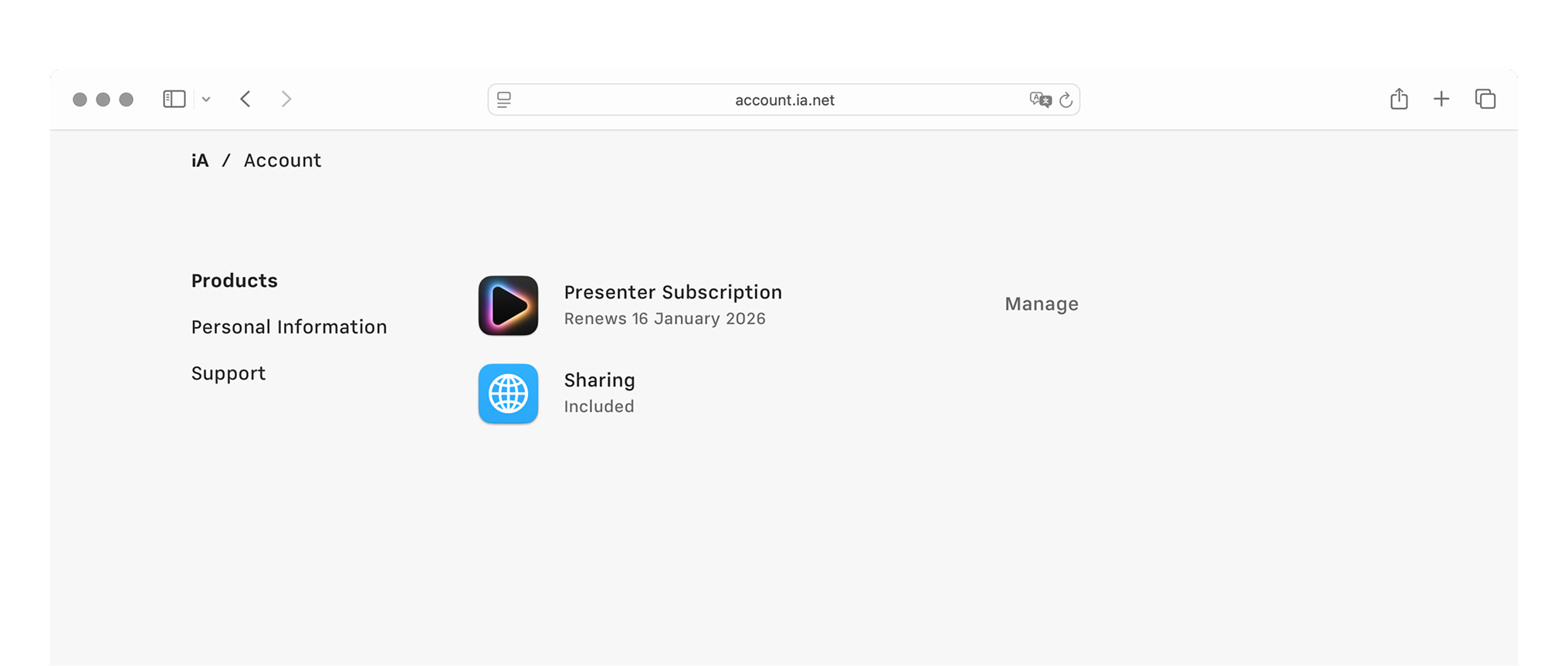
Available options depend on whether you chose to purchase or subscribe, but in general you’ll be able to:
- See a list of your iA products/services
- Update/cancel a subscription
- Update or change your payment method or billing info
- Access invoices and receipts (including options to download them)
If you have any issues with purchasing or payments, our support team is just an email away.
App Store
If you purchased iA Presenter in the App Store please see below for post-purchase options.
Redownload Presenter
You can redownload iA Presenter on devices registered to the same Apple Account (formerly called Apple ID) used at purchase. For the most up to date steps please see this Apple Support resource:
https://support.apple.com/102417
The App Store will always serve the most recent version of the app for download. We recommend enabling Automatic Updates in your App Store settings so that installed apps are kept up to date.
Update Presenter
If you have Automatic Updates enabled in the App Store the latest version of every app (Presenter included) will always be installed. We recommend enabling this setting.
If you do not have Automatic Updates enabled you can update apps manually. For the most up to date steps please see this Apple Support resource:
https://support.apple.com/102629
Problems/Refunds
Most issues can be resolved by checking our Support pages. If you are still stuck our Support team will be happy to assist.
Apple handles the entire purchase flow in their App Stores. For information on refunding an app purchase please visit one of the following Apple Support resources:
Help
FAQ
More than 50% of the requests we receive have their answer here. Please check it before reaching out.
Troubleshooting
Here are some things you can do if iA Presenter acts in unexpected ways.
Version History
A full history of iA Presenter versions, starting with the beta.
Accessibility
If you find areas of our app where we could provide a more inclusive experience, we'd love to hear from you.
Privacy Policy
The Privacy Policy for the iA Presenter software product family by Information Architects, Inc.
7-Day Free Trial
Download now.
No credit card required.
Mac
No credit card required